Picture
Click for larger image.
I had a need in my latest game for an image of a Windows Phone to use in a Help menu. It came out pretty good so I thought, why not share it with the peoples. :)

So if you're looking for a free image of a Windows Phone for use in your game or app to put in your How-To page or game instructions, here's the one I did for Space Racer. Feel free to use it or modify it in your own app or game how ever you want. Hope someone out there finds it useful!


Picture
I took a short break from Vintage Hero to quickly put together a simple app that may be of some use to you musicians out there. It's called Setlist and it's an easy way to keep track of your band repertoires and setlists. The app is totally free (ad supported) and is available now in the Windows Phone Marketplace.

So I'll think I'll get back Vintage Hero real soon as it would be great to have something ready for this year's Dream Build Play. Although first I'm considering finishing a port I've been sparingly working on of Space Racer for WP7. It would basically be the same as the Xbox version but I plan to add online leaderboards, making it a shit ton cooler. Either way, nothing's slowing down here. Plenty more to come soon! :)


So I have some new tunes that I've been working on for Vintage Hero and I'd thought I'd post 'em. The first three would be played during the levels and the other three are various shorter pieces.  

Here's a faster one with lotsa minor. I'll probably use this on the first stage.


I like the feel at the start of this one. It might work well in the factory level. It also has a clave breakdown before moving into a cool little section that uses the Lydian scale.


I may change the diminished chord in the intro. I think something like it might fit better before the boss music. Although I do like how the main motive gradually switches to the secondary motive as the secondary motive becomes the primary. Also, some of my favorite drums so far.


This might be used for victory music after beating a boss. I still have yet to write the boss music but I have the basic ideas worked out. That'll be next.


This is a loop that'll probably play after beating a boss during the upgrade screen which shows you the new weapon you've won.


Some game over/continue game music. Although I'm not sure I'm going to include it since I may not even incorporate the "lives" system, at least not on "easy" mode.
 
 
I've been working on some tunes for possible inclusion in Vintage Hero and thought I'd share a couple of them. Keep in mind they're still a work in progress and may not be included at all in the final game. I'll also probably be working towards making the songs increasingly darker as we go along. As of now I'm just throwing some stuff out there to see what sticks. Let me know what you think.

This one would most likely be used during the stage select screen.


Despite its rather bouncy optimism, it could work well in say a forest or cave themed level.
 
 
I was working on a mockup of the Windows Phone Marketplace to test what my game art might look like before it hits the store and all the while I couldn't shake the thought that someone had to have done this already. About halfway though the project during some sidetrack googling I finally managed to enter the right search terms and there it is: Fake Windows Phone Marketplace. Complete with all the necessary pages and lorem ipsum descriptions, the solution's much farther along than mine and relatively complete. So instead of a post with a download to my mockup as previously planned, here's a link to the Fake Windows Phone Marketplace. I believe it would be a useful tool for testing your assets should you hope to find yourself on that all too important featured list someday.
 
 
For a few days now I've been trying to track down the source of performance problems in my Windows Phone 7 game. It turns out the memory was increasing by an alarming rate when navigating around the different pages. Even just moving back and forth between the first page and a second page would cause it go over the magic 90 MB limit imposed by Microsoft certification.

I've heard some refer to this as a memory leak but I couldn't find too much information to help me. Something was blocking the garbage collector from disposing the old page when navigating back. On the advice from someone in the AppHub forums, I added a disposer and put a break point in it to see if was ever getting called. I found one of the first things I needed to do was remove any event listeners that were running on a separate thread. The only one I had was added to a DispatchTimer that I was using for displaying memory usage at one second intervals. Easy enough and this won't be in the final build anyway.

The thing I had trouble finding was a call to performanceProgressBar.IsIndeterminate= true allowed the page to live when it should've been disposed. The performance progress bar is included in a separate toolkit available for download from MS and is supposed to provide a smoothly animated WP7 style progress bar. The problem was that the page would get collected no problem if I clicked the hardware back button, but if I navigated back using the GoBack() method, the data would persist in memory! I don't know why this is because from what I understand, touching the back button just calls GoBack() anyway. I don't see why these two actions should give different results.

Eventually, I'd hit the 90 meg limit, performance would slow to crawl and finally the game would just exit. I assume this has something to do with it persisting in a separate thread, since this is how it achieves the smooth animation. So if you find yourself with this same problem, just remember to remove the progress bar from the UI child element list in your override of OnNavigatedFrom().

Fortunately, it appears that this is no longer a problem with the August update to the toolkit but until Mango is released it's still something you might need to handle. Additionally, I've found AdRotator also blocks GC calls unless it's removed from the UI list as well. I suppose the best thing to do is put a dispose method in your page and check it often with a breakpoint to be sure it eventually gets destroyed. Or better yet, when running in debug mode, have it pop up a message box telling you it's disposed.

Anybody see any other GC blocking code out there?
 
 
You might be wondering what's up with Vintage Hero and rest assured, it's still in the development pipeline. After picking up the HTC Trophy, I started messing with Silverlight on Windows Phone 7. The result is a new game I'll be releasing very soon called Cryptogram.

Based on the classic puzzle game that uses a substitution cipher to obfuscate a quote or phrase, uncover the solution by swapping an encrypted letter for the correct letter. When all the letters have been solved, the phrase becomes clear.

Here's a few screenshots of the game in action. Click to enlarge.
Expect Cryptogram to be released on the Windows Phone Marketplace soon!

While making the Silverlight app served as a good diversion to recharge my batteries, work on Vintage Hero will resume full time. Being a more complex game with a lot of content, it takes time to design and make all the parts I need to put in the game. But I am eager to get back to it as it is a project close to my heart and I want nothing more than to see people playing it. Once work commences, I'll gather what I need to put together the promised video of progress on the game. In the meantime, if you have a Windows Phone, look for the new app soon. I'll let you know when it's out.
 
 
Let's face it. Rumble and XNA haven't had the best history. I still hear people refer to "massage games" and such when people talk about Xbox Live Indies, but there are many out there who can now look past the sea of undesirables and see the potential and successful. It's come a long way since it's innocent beginnings. Yet many developers still shy away from utilizing force feedback and some that do, use it in a brute force kind of way that can annoy the player. Even some AAA titles seem to just set the motors at full blast for three seconds when you crash off the road. Ugh. When it comes to rumble, subtle is the way to go.

Before I go on, I'd like to say that the following code is free to use in your game and is licensed under the Microsoft Permissive License with one caveat. You can not use this component in a game where the sole purpose is to vibrate the controller. You cannot use this for a "massage game" or any other where the purpose of the application is rumble based. You can only use it to enhance existing gameplay where otherwise, not having rumble will not change the objective of the game. Hate that I have to say it, but it needs to be said.

Here I've implemented a time dependent, dynamic based rumble component. I've played many indie games that accidentally leave the motors running until I quit to the dashboard. You can get around this by using time based triggers. When an event happens that requires force feedback (say a collision) just add a new rumble for a set amount of time and when the times up, the rumble stops.

To make things subtle I use the idea of dynamics. Since sound is a vibration, we can use it as an example in which to compare. In music, dynamics are control over the volume of the sound, or intensity of the vibration. By varying the dynamics over time, I could apply a "shape" to the controller's rumble. I've added the ability to change to different rumble shapes by calling them by name, such as binary (on/off), linear (start at minimum and increase to maximum over time) or parabolic (fade in to maximum by time/2 and fade out to minimum by time).


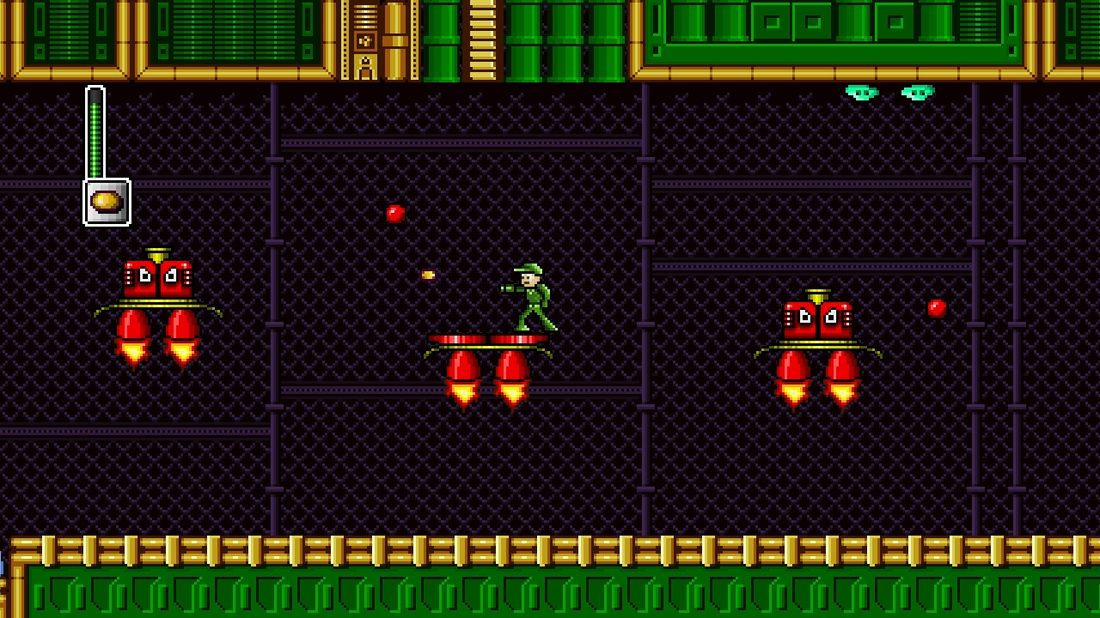
Since joining Twitter I've been uploading some new screens of Vintage Hero to Twitpic. If you follow me, you might have noticed some of these tweets are marked with a #screenshotsaturday hashtag. Screen Shot Saturday is part of an independent initiative that collects images game developers post to twitter on Saturdays using the hashtag. Here are some of the ones I've posted as well some concept art for the cutscenes.

Another boss from Vintage Hero for #screenshotsaturday #xblig  on Twitpic Some quick sketches I did for cut scenes in Vintage Hero of t... on Twitpic

In game screen for weapon upgrades in  #VintageHero #screensh... on Twitpic Yesterday was Friday. Today is #screenshotsaturday #xblig  on Twitpic
 
 
To make the pseudo 3-D effect of the trophy and ship spinning around each other on the final screen of Space Racer I just used a simple scaling trick. By gradually changing the scale in SpriteBatch it appears as if the sprites are zooming in and out along the Z-axis.

To do this, let's first make a new Windows Game project in C#. Call it SpinningSprites. Click OK, build and run the empty game to be presented with the familiar cornflower blue screen.

Now that we know everything was created as planned we need to add content to our project.
Go ahead and copy these images to your hard drive by right clicking and saving. Or if you'd like, you can use your own images. Add them to the game by dragging the images to the SpinningSpritesContent project in Visual Studio or right click on the SpinningSpritesContent project and choose Add->Existing Item. Find and select the images and click Add.

Now that we've added the content it's time to add some code. Towards the top of the class, add two Texture2D variables just after the GraphicsDeviceManager and SpriteBatch declarations.

    Texture2D imageOne;
    Texture2D imageTwo;